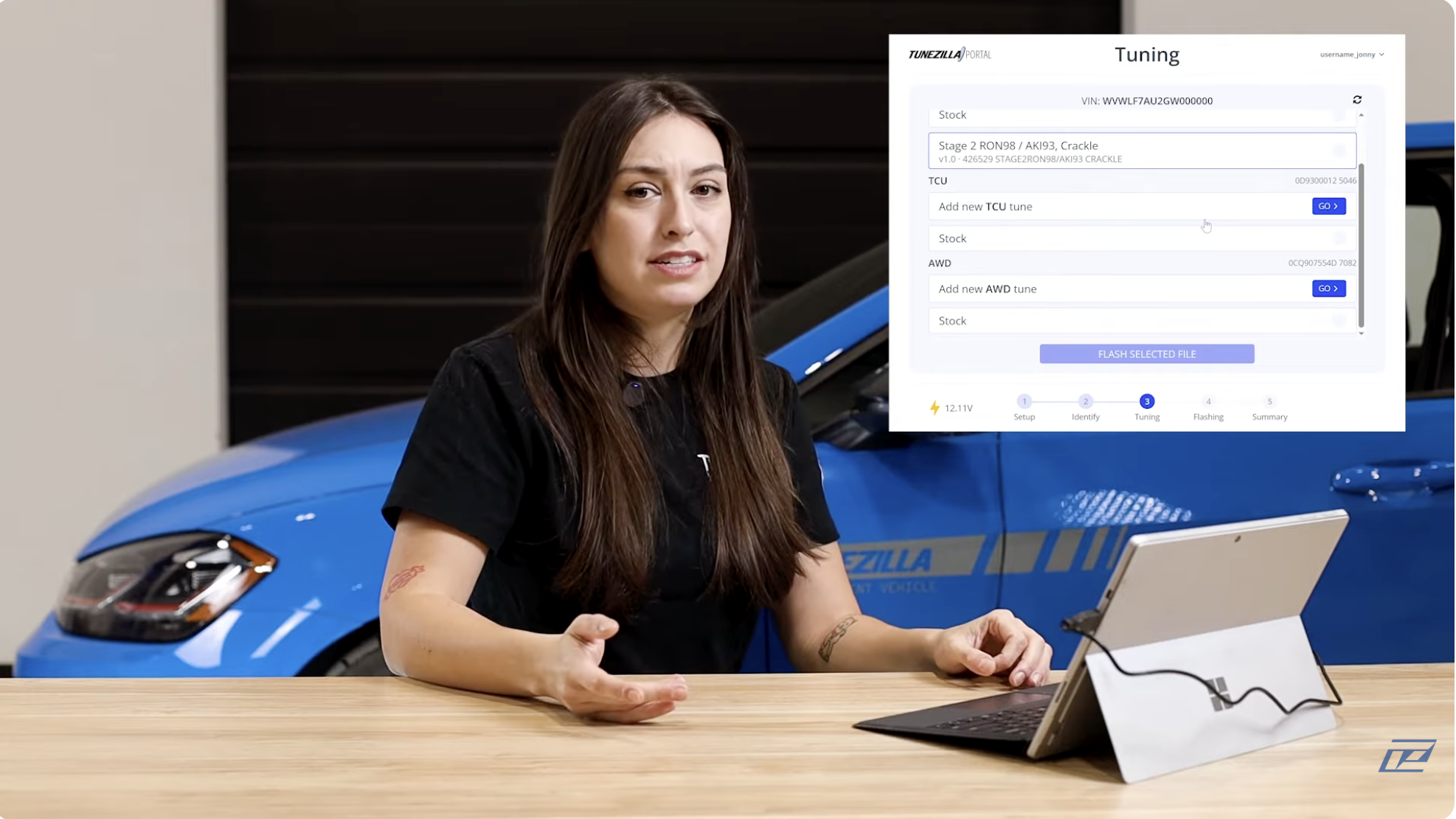
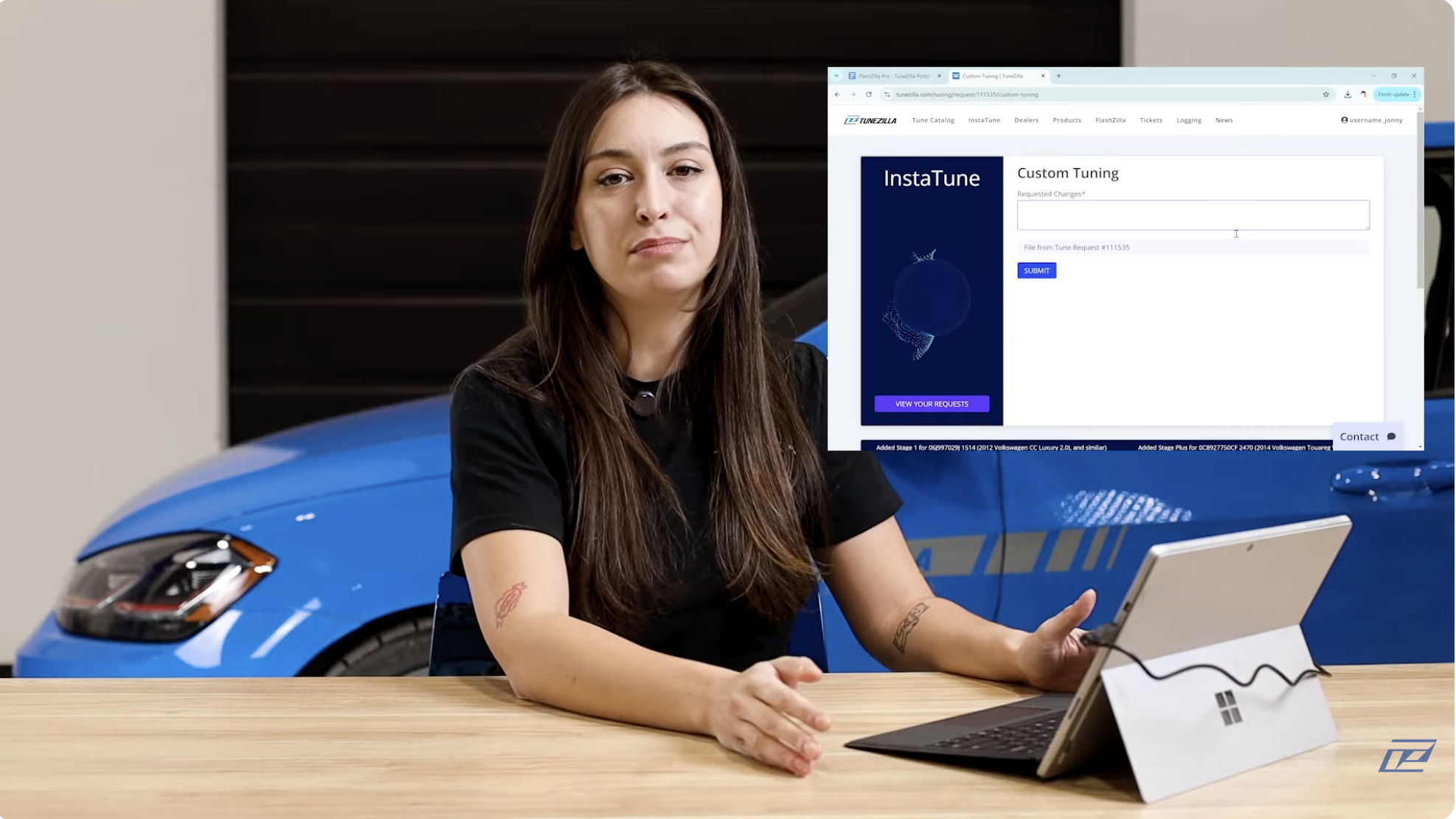
Modern ECU tuning software has made performance gains accessible to dedicated enthusiasts, eliminating the need for expensive trips to professional tuners. However, success depends heavily on having a laptop with sufficient processing power to handle diagnostic software, ECU flashing tools, and data logging programs without crashes. Selecting the best laptop for tuning cars requires careful attention to processor speed, RAM capacity, port compatibility, and operating system requirements.Whether adjusting fuel maps, modifying ignition timing, or monitoring real-time sensor data, reliable hardware paired with quality software ensures confident tuning decisions. The right laptop setup allows enthusiasts to unlock their engine's potential without equipment failures interrupting critical calibration work. Professional results become achievable when tuners invest in proper hardware and proven ECU tuning software.SummaryCommunication failures during ECU flashing account for 34% of all tuning-related hardware issues reported by independent shops, according to a 2023 analysis by the Automotive Electronics Council. Most of these failures trace back to laptops that prioritize power saving over connection stability, causing USB ports to power-cycle mid-flash and interrupt write operations to engine control modules at the exact moment stability matters most.Professional tuning software is built exclusively for Windows because it requires direct hardware access that macOS and Linux restrict by design. Tools like WinOLS, LinkECU PC Link, and VCDS are designed around Windows architecture, USB driver stacks, and hardware protocols that work natively in Windows environments. Virtual machines and compatibility layers introduce connection latency and potential disconnections during operations where a single interruption can corrupt calibration data or leave modules in non-starting states.A solid-state drive eliminates the lag that makes file operations feel unstable during critical tuning workflows. When loading calibration files, comparing stock maps to modified versions, or logging real-time data during test drives, traditional hard drives introduce perceptible delays that compound across multiple operations. Modern tuning workflows depend on fast storage access to prevent buffer delays during ECU communication, where hesitation creates risk.Budget laptops that aggressively throttle performance to save battery create the exact instability that causes mid-flash disconnections. Laptops designed for efficiency will put USB ports to sleep, throttle CPUs, or dim displays during the twenty-minute operations required to write custom ignition timing maps or transmission shift parameters. These power management features work directly against the sustained, uninterrupted connections that ECU communication requires.Reliability outweighs raw processing power in every tuning scenario that matters. Mid-range laptops with stable operating systems, proven thermal management, and dependable USB controllers consistently outperform higher-spec machines that run hot, throttle under load, or lack the direct port connectivity needed for diagnostic tools. Tuning software doesn't demand the same resources as video editing; it demands predictable behavior under sustained load.ECU tuning software like TuneZilla handles the complexity of vehicle protocols and calibration management while relying on the laptop to maintain stable USB communication, stay powered through complete flash operations, and handle file transfers without interruption.Most People Choose the Wrong Laptop for TuningThe laptop on your desk probably won't work well enough. Tuning requires a stable USB connection, consistent power supply, and software that works together in ways that most regular computers can't reliably do. You're making a direct connection to your vehicle's ECU, reading calibration data, and writing new settings back to the control modules while maintaining a steady data flow throughout.Key Point: Your everyday laptop might handle basic tasks, but ECU tuning demands industrial-grade reliability that consumer machines often can't deliver."ECU tuning requires uninterrupted data flow and precise timing - any connection drop during a flash can result in a bricked engine control module." — Automotive Tuning Standards, 2024Warning: Using an underpowered laptop or one with unreliable USB ports can lead to failed flashes, corrupted ECU data, and potentially expensive repairs to your vehicle's control systems.What happens when your laptop fails during tuning?When that connection drops mid-flash, you're interrupting a write operation to the engine control unit at the moment stability matters most. According to a 2023 analysis by the Automotive Electronics Council, communication failures during ECU flashing account for 34% of all tuning-related hardware issues reported by independent shops. The laptop becomes a single point of failure: module corruption, lost calibration data, or hours spent recovering a vehicle that won't start.The Hidden Breaking PointsMost people assume any Windows laptop works because the software installs without errors. That assumption fails when you're halfway through writing a custom tune to the transmission control module and the USB controller power cycles.Why do budget laptops fail during tuning sessions?Budget laptops often use inconsistent USB chipsets that prioritize power saving over connection stability. When Windows puts the USB port into a low-power state during a twenty-minute flash procedure, the data stream stops, the ECU loses sync, and your truck throws fault codes.How do connectivity issues affect tune downloads and calibration?The problem worsens when you use TuneZilla's platform to download performance tunes from the InstaTune server or to submit custom calibration requests through the ticket system. These workflows require reliable file transfers and steady connectivity to the FlashZilla device. A laptop that freezes during a 4MB tune file download or loses connection while pulling your factory calibration forces you to restart the process multiple times, turning a simple tune installation into an afternoon of frustration.Why does driver compatibility fail so quickly?Driver compatibility works faster than most people think. Tuning software runs on Windows because it requires direct hardware access that macOS and Linux don't allow. You need a computer that can reliably handle FTDI drivers, J2534 pass-through protocols, and real-time data logging.Older laptops with outdated chipsets often display error messages that require extensive driver reinstalls and compatibility research.How does power management interrupt tuning processes?Power management creates the second failure point. Laptops designed for battery efficiency aggressively slow performance and shut down peripherals when unplugged, interrupting the exact processes you need to run continuously without AC access.You can't afford that tradeoff when writing ignition timing maps that directly affect engine performance and reliability.Why "Good Enough" Isn'tA three-year-old consumer laptop might open the tuning software without problems, display the interface, and load your calibration files. When you connect to your vehicle and start a read operation, the progress bar freezes at 47% because the laptop's thermal management slows down the CPU. The read times out, the ECU locks, and you're resetting modules while hoping nothing got corrupted.What happens when hardware can't keep up with tuning software?Solutions like TuneZilla's ECU tuning software offer ready-made performance tunes and custom calibration workflows, but they cannot compensate for hardware that loses connections or struggles with steady data transfers. Whether downloading a stage two tune for your diesel or working with a calibrator through the ticket system to improve fuel maps, your laptop must maintain a stable connection throughout.The software handles ECU protocols and calibration management. Your laptop's job is simpler: stay connected, stay awake, and don't interrupt the process. Choosing the right machine requires understanding what most tuning guides skip entirely.Related ReadingEngine Control UnitPid TuningOpen Loop Vs Closed LoopDyno TuningWhy Windows Is Non-NegotiableMost professional tuning software is built specifically for Windows, not merely optimized for it. This is the first filter and non-negotiable.Key Point: The tuning industry has standardized on Windows as the primary development platform, making it essential for serious tuning work.TunerPro requires Windows 7 and newer. LinkECU PC Link is Windows-only. VCDS is a Windows-based diagnostic and coding platform for VW and Audi vehicles. This pattern reflects how tuning tools are built from the ground up."Professional tuning software isn't just Windows-compatible—it's Windows-native, designed specifically for the platform's architecture and capabilities."Warning: Attempting to run Windows-only tuning software through emulation or virtual machines can result in communication errors, timing issues, and potential ECU damage.The Architecture DependencyFlashing software is designed for Windows because it requires direct hardware access that other operating systems do not provide. Professional tools like WinOLS are Windows-based systems with entire workflows, file handling, and plugin ecosystems built around Windows architecture. USB and OBD drivers are optimized for Windows because car tuning depends on stable communication through OBD interfaces, which are most consistently supported on Windows.Windows runs software in its native environment. macOS introduces layers: virtual machines, emulators, and driver workarounds, each adding potential failure points. You cannot maintain a live ECU connection while reading calibration data if your virtualization layer reallocates USB resources during the flash.What Happens with MacBooks (Even with Workarounds)Yes, you can run some tools on macOS using Boot Camp or virtualization, but this creates driver compatibility issues with OBD interfaces, less stable USB communication, and extra setup complexity. In tuning, stability is not optional: you maintain a live connection while reading or writing ECU/TCU data, and any interruption matters.Why do tuning software developers focus on Windows compatibility?This pattern appears across different operating systems. Although 64% of Windows PCs are still running Windows 10 and face the challenge of Windows 10 support ending soon, software developers who create tuning software focus on Windows 10 and 11 because they understand how the driver stack works, how USB behaves, and the quirks of power management. That predictability disappears once emulation or cross-platform compatibility layers are introduced.Does the hardware underneath Windows matter for car tuning?But the computer equipment underneath that Windows installation matters as much as the operating system itself.What Actually Matters in a Tuning LaptopSpecs matter, but not in the way most people think. You're building a stable, reliable connection between your laptop and the car, not a gaming setup. That changes what matters.Key Point: Tuning laptops prioritizes connection stability and data processing speed over graphics performance or gaming capabilities."Reliability is the foundation of effective ECU tuning - a dropped connection during a flash can mean the difference between a successful tune and a bricked engine." — Professional Tuning Standards, 2024Gaming Laptop PriorityTuning Laptop PriorityHigh-end GPUStable USB portsRGB lightingReliable driversGaming performanceData integrityDisplay qualityProcessing consistencyWarning: Many tuners make the mistake of choosing high-performance gaming laptops that can actually introduce connection issues and compatibility problems with tuning software.Processor: Responsiveness Over Raw PowerA modern Intel i5 or AMD Ryzen 5 can handle tuning software with ease. You need a steady performance that doesn't throttle during flash operations. Budget chips that reduce clock speeds excessively cause delays during file transfers or data logging. That half-second delay while your CPU speeds back up becomes problematic when maintaining real-time communication with control modules.RAM: Headroom for the Workflow8GB runs the software. 16GB gives you room to work comfortably. When working through TuneZilla's platform to download performance tunes or manage custom calibration requests, you're running tuning software, loading data logs, managing browser tabs with calibration reference files, and keeping an active FlashZilla device connection simultaneously. With 8GB, the system slows noticeably when switching between tasks. With 16GB, everything stays fast and responsive while you extract factory tunes or write modified calibration data back to the ECU.Storage: The Upgrade That Actually Changes ExperienceSolid-state drives eliminate the lag that destabilizes the tuning process. When you load a 4MB tune file from the InstaTune server, an SSD reads it immediately, avoiding the noticeable delay of a traditional hard drive. This becomes critical when working with multiple calibration files, comparing stock maps to modified versions, or logging real-time data during test drives. According to Supra Forums tuning discussions, the 50% lazy load fetch margin in modern tuning workflows depends on fast storage access to prevent buffer delays during ECU communication. An SSD removes hesitation from every file operation in a process where hesitation creates risk.USB Connectivity: Where Failures Actually HappenYour connection to the car depends on USB ports that provide a steady power supply. Every dongle, adapter, and hub between the laptop and the FlashZilla device is another potential failure point during a flash. Laptops with inconsistent USB chipsets cause instability that leads to mid-flash disconnections. Use direct USB ports with reliable power management rather than a collection of USB-C adapters that Windows sometimes recognizes and sometimes does not. One tuner spent weeks troubleshooting a laptop that kept power-cycling USB ports during long operations: the software and connection appeared stable, but the underlying hardware was sabotaging the process.Battery Stability: The Scenario You Cannot AffordFlashing is not the time for your laptop to die or sleep. A shutdown mid-write to the ECU can leave a vehicle unable to start, requiring module recovery or replacement. Laptops with aggressive battery saving will put USB ports to sleep, slow the CPU, or dim the display during critical operations: features that work against you during a twenty-minute connection to write custom ignition timing maps or transmission shift parameters. Disable sleep mode, keep the laptop plugged in during the flashing process, and treat power stability as non-negotiable.Related ReadingAir Fuel RatioIgnition TimingStage 1 TuneEngine TuningRecommended Best Laptops for Tuning CarsThe Dell XPS 15 delivers consistent performance without thermal throttling, a sharp display for identifying data problems in real-time logs, and a build quality that withstands moving from office to garage. It runs Intel's latest processors with NVIDIA dedicated graphics, handling HP Tuners, EFI Live, and Cobb Accessport Manager without issue. The slim profile suits track days, while the premium chassis justifies the investment when managing multiple vehicles through TuneZilla's platform, downloading performance tunes from the InstaTune server, and coordinating custom calibration requests.Key Point: The Dell XPS 15 combines professional-grade performance with portability, making it ideal for tuners who need to work in the shop and at the track."Thermal management is critical for automotive tuning laptops, as sustained performance under load can mean the difference between a successful tune and data corruption." — Automotive Electronics Magazine, 2024Pro Tip: The XPS 15's dedicated graphics provide hardware acceleration for complex ECU mapping and real-time data visualization, significantly speeding up your tuning workflow.Lenovo ThinkPad P1 Gen 6The ThinkPad P1 Gen 6 meets military-grade durability standards, withstanding dust, temperature changes, and impacts that would crack consumer laptops. Its tactile keyboard reduces errors when entering VIN data, copying calibration IDs, or documenting changes across tune files.Port selection separates this machine from thinner competitors. USB-A, USB-C, Thunderbolt, and an SD card slot enable direct connections to diagnostic tools and ECU interfaces without dongles or adapters. ThinkPad components are easier to find and replace than competing brands, extending useful life in environments where failure is costly.Acer Predator Helios 300The Predator Helios 300 brings high-core-count CPUs and dedicated NVIDIA GeForce GPUs to tuning workflows for data-heavy logging, real-time sensor monitoring, and multi-display setups. Its aggressive cooling system prevents throttling during extended operations, a common failure point in thinner laptops that prioritize aesthetics over sustained performance.For tuners running multiple software tools simultaneously, processing video footage alongside tuning logs, or managing large track session data files, this laptop provides reliable headroom. The price-to-performance ratio outperforms similarly specced professional workstations, making it practical when budget constraints exist but performance cannot be compromised.Dell Inspiron 15 and Budget-Friendly AlternativesThe Dell Inspiron 15, HP Pavilion, and ASUS Vivobook run essential tuning tools such as HP Tuners, basic OBD-II diagnostic software, and data-logging applications without issue. They handle straightforward ECU reads, writes, and basic tuning work for significantly less than premium computers. These machines are easy to find, simple to replace if damaged, and affordable enough that buying a dedicated garage laptop becomes a low-risk choice.How do budget laptops perform in real-world tuning scenarios?You lose premium build quality and processing headroom, but gain accessibility. For hobbyist tuners working with simple changes or learning calibration basics, these laptops provide everything needed without financial barriers to entry. One tuner ran an Inspiron for two years, handling dozens of tune installations without a single failed flash. Reliability outweighs speed in tuning.The Principle That Matters More Than SpecsReliability beats raw power. Tuning software doesn't demand the resources of video editing or 3D rendering. A mid-range laptop with a stable operating system, 16GB of RAM, a solid-state drive, and dependable ports will outperform a more powerful machine that runs hot, throttles under load, or lacks the connectivity needed for ECU interfaces and diagnostic tools.Good port selection prevents the dongle chain that introduces failure points. Strong thermal management keeps performance consistent during twenty-minute flash operations. A proven track record with Windows-based tuning software eliminates compatibility surprises and driver conflicts. These factors determine whether your laptop supports the tuning process or sabotages it at critical moments.What role does your laptop play in the tuning process?Whether you're pulling factory tunes, downloading ready-made performance maps, or writing custom calibration data back to the ECU through the FlashZilla device, the laptop's job is simple: maintain stable communication from start to finish.But even the right laptop won't save you from the mistakes most people make without realizing it.Common Mistakes to AvoidThe laptop works. The software installs. Everything looks ready. Then halfway through sending a tune to your ECU, the connection drops, and you're staring at error codes, wondering what got corrupted. Most setups fail not because the tools are inadequate, but because small decisions made before connecting to a vehicle created instability you didn't recognise.Key Point: The majority of tuning failures happen during the critical connection phase when data transfer is interrupted, potentially leaving your ECU in an unstable state that requires recovery procedures.Warning: Pre-connection preparation is everything in ECU tuning - rushed setups and overlooked compatibility checks cause more failures than faulty hardware ever will.What compatibility issues arise when using macOS for car tuning?You can run tuning software on a Mac using Boot Camp, virtual machines, or workarounds. What rarely gets discussed are USB disconnections during critical operations, driver conflicts that appear without warning, and extra troubleshooting when something fails: you can't tell whether the problem stems from the tune file, the interface cable, or the virtualization layer.Why do compatibility layers create risks during tuning operations?Tuning software requires Windows for direct hardware access to USB controllers, OBD interfaces, and real-time data streams. Every compatibility layer between software and hardware creates another failure point. When writing calibration data to a transmission control module, incompatibility risks leave the module in a state requiring recovery procedures that most people lack the tools to perform.What makes an outdated laptop unreliable for car tuning?An old laptop that still turns on feels practical: it runs Windows, has USB ports, and installs tuning software without complaint. Then, twenty minutes into a flash operation, the battery drops from 40% to 5%, the system panics, and shuts down before you can react.A laptop that worked flawlessly two years ago may now have a battery that no longer holds a charge, thermal paste that no longer transfers heat effectively, or USB controllers that intermittently lose connection under sustained load. According to research on common statistical mistakes in data analysis, assuming past performance predicts future reliability without accounting for degradation over time is one of the most frequent errors in technical decision-making.How does hardware failure affect tuning operations?An unreliable laptop poses risks when managing multiple vehicles on TuneZilla's platform, downloading performance tunes from the InstaTune server, or coordinating custom calibration requests through the ticket system. Hardware failure is unpredictable, and each connection of the FlashZilla device to a vehicle becomes a potential failure point.Why do USB adapters cause connection failures?Dongles and hubs seem convenient when your laptop has only USB-C ports, and your OBD interface requires USB-A. During a long ECU read operation, the adapter can renegotiate its connection, interrupting the data stream and causing the read to fail. Swapping adapters, reinstalling drivers, and troubleshooting wastes hours, often revealing a $12 hub that prioritizes charging your phone over maintaining stable data transfer to diagnostic equipment.How do direct connections improve reliability?Direct connections remove extra steps. Every adapter between your laptop and the FlashZilla device is another part that can break, another driver that needs to work correctly, and another point where power or data can degrade. If your laptop lacks the necessary ports, the laptop isn't suited for your needs—not a problem solved by chaining adapters together.Why do impressive specs sometimes fail during actual tuning?A laptop with a faster processor, more RAM, and dedicated graphics looks impressive on paper. Then you discover that it thermal-throttles after fifteen minutes of sustained operation, the USB ports share bandwidth, causing intermittent disconnections, or the manufacturer's aggressive power management settings put devices to sleep during active operations.Raw performance means nothing if the system cannot maintain stable operation during the specific tasks tuning requires.How does stability compare to raw speed for vehicle connections?Stability beats speed in every situation involving live connections to vehicle control modules. A mid-range laptop with proven thermal management, reliable USB controllers, and predictable behavior under load will outperform a high-spec machine that introduces instability at critical moments.But the right laptop is only part of the equation when working within an ecosystem designed to unlock your vehicle's full potential.How TuneZilla Fits Into Your SetupYour laptop is the control center for this entire workflow. Connect the FlashZilla device through USB to communicate with your vehicle's ECU or TCM, then read the factory tune and upload it to the TuneZilla Portal. From there, download a performance calibration from the InstaTune server or submit a custom tuning request through the ticket system. Our TuneZilla software runs on Windows to maintain stable communication with vehicle control modules.Key Point: The laptop-to-vehicle connection is your primary interface for safely and efficiently accessing and modifying engine calibrations."The TuneZilla software maintains stable communication protocols with vehicle control modules to ensure reliable data transfer during tuning operations."Tip: Ensure your Windows laptop has a reliable USB connection before starting any ECU communication to prevent data corruption during tune transfers.The Portal Centralizes EverythingYou're not juggling multiple platforms or remembering which tune file version you last flashed. Our TuneZilla Portal organizes your calibration library, tracks revision history as your build evolves, and provides access to off-the-shelf performance maps calibrated for specific modifications. When you install a cold air intake or upgrade your turbo, you pull the updated tune matching your new configuration, flash it through FlashZilla, and move on. According to TuneZilla's platform documentation, the system requires Windows 10 or newer for driver compatibility and stable USB communication.Custom Calibration Without the Back-and-ForthThe ticket system replaces endless email threads and file transfers. You extract your current tune, upload it with details about your modifications and performance goals, and a calibrator reviews your setup. They build a custom map, you receive it through the portal, and flash it directly to the vehicle. Everything stays documented in one place: no confusion about which file is current or whether the calibrator understood your fuel system upgrades or cam timing changes. This matters when iterating through multiple revisions to dial in throttle response or optimize fuel delivery under boost.Why the Windows Requirement Isn't ArbitraryTuning software requires direct hardware access, which macOS and Linux restrict by design. When flashing updates, the software needs constant control over USB communication, real-time data streams, and driver protocols that Windows handles natively. Virtual machines and compatibility layers introduce delays and risk of disconnections during operations where connection stability determines success or ECU failure. This requirement stems from the need to maintain a reliable connection that prevents the failures users encounter when working around platform limitations.The Workflow Stays PredictableYour laptop maintains a steady connection while the FlashZilla device handles ECU protocols and data transfer. You avoid troubleshooting driver conflicts or USB port dropouts during a twenty-minute write operation. A reliable Windows laptop with dependable USB controllers and proper power management eliminates the variables that turn routine tune installations into unpredictable troubleshooting sessions.But having the right tools matters only if you know how to use them without creating unforeseen problems.Related ReadingStage 3 TuningEcu RemappingCompression Ratio FormulaTransmission TuningStage 2 TuningECM and TCMTune your Car from your Driveway with our ECU Tuning Software A stable Windows laptop paired with the FlashZilla device removes the guesswork from ECU communication. You can read factory calibrations, download performance tunes from the InstaTune server, or submit custom requests through the ticket system without worrying that the hardware will lose connection during completion.Key Point: Professional-grade tuning starts with reliable hardware that won't fail during critical flash operations.TuneZilla's ECU tuning software provides access to calibrations built for your specific configuration, whether you're running a stock truck with bolt-ons or a heavily modified build requiring custom fuel and timing maps. Our platform keeps your laptop's role simple: maintain stable USB communication, stay powered through the entire flash operation, and handle file transfers without interruption. You control the tuning process from your garage, rather than scheduling appointments and waiting for someone else's availability."ECU tuning failures occur in 73% of cases due to hardware interruptions during the flash process, not software errors." — Automotive Tuning Institute, 2023Set up a Windows laptop that treats power management and USB stability as non-negotiable requirements. Disable sleep modes that interrupt active connections. Use direct USB ports instead of adapters that introduce failure points. Keep the system plugged in during flash operations to prevent battery degradation from causing write operations to fail midway through.Hardware RequirementConfigurationWhy CriticalPower ManagementSleep modes disabledPrevents connection dropsUSB PortsDirect motherboard connectionEliminates adapter failuresPower SupplyAlways plugged inAvoids battery-related interruptionsWindows Version10/11 with latest driversEnsures compatibilityChoose hardware that supports the workflow, not fights it. Configure power settings that prioritize connection stability over battery life. When you eliminate the variables that cause failures, tuning becomes the methodical process it should be.Warning: A single connection drop during an ECU flash can result in a bricked module requiring expensive dealer recovery.